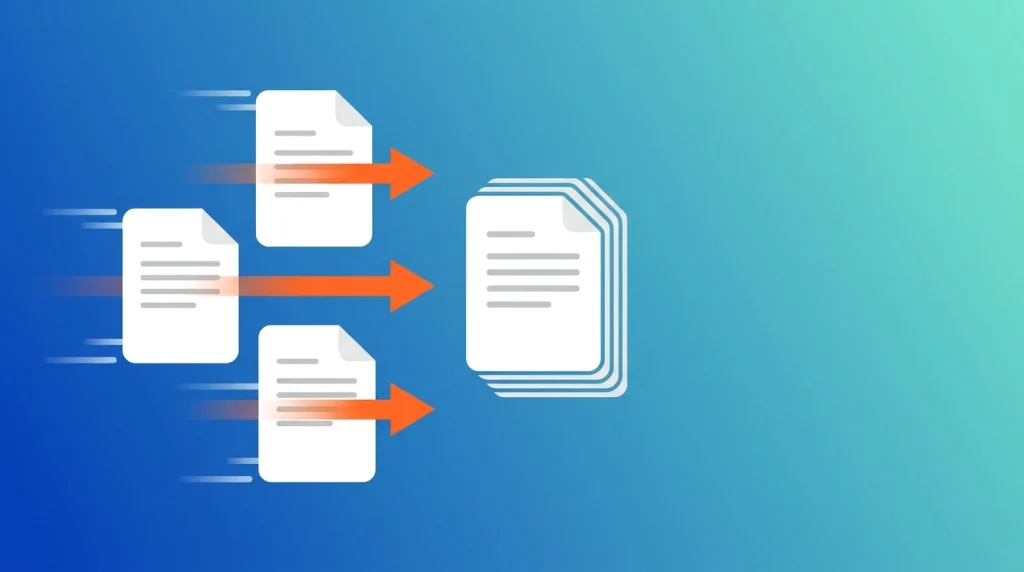
If you’ve ever needed to send five separate PDFs when one organized file would make life easier, you know the pain. The good news: you don’t need Adobe Acrobat or any paid software to combine PDFs. With a free online merge tool, you can join multiple PDF files into a single document in under a minute.
This guide covers exactly how to merge PDF files online for free, when you’d want to do it, and how to get the best results.
Why Merge PDF Files?
Combining PDFs into one document is one of the most common office and personal tasks. Common reasons people merge PDFs include:
- Combining invoices or receipts into one file for accounting or expense reports.
- Assembling a report from chapters or sections written and scanned separately.
- Merging scanned pages from a physical document into one clean file.
- Preparing a job application — combining a resume, cover letter, and portfolio into a single PDF.
- Organizing contracts — joining amendments or attachments with the main agreement.
- Compiling study materials — merging lecture notes or chapters into a single study guide.
A merged PDF is easier to share, easier to print, and far less likely to get lost in someone’s inbox than five separate attachments. Because PDF is a standardized, cross-platform format, a merged file will look identical whether it’s opened on Windows, Mac, or a phone.
How to Merge PDF Files Online (Step-by-Step)
Using DocPiko’s Merge PDF tool, the process takes just three steps:
Step 1: Upload Your PDF Files
Go to the Merge PDF page and either drag and drop your files into the upload area or click to browse and select them from your device. You can upload multiple files at once.
Step 2: Arrange the Order
Once uploaded, arrange your files in the order you want them to appear in the final document. This step matters — the merge tool combines files in the sequence you set, so double-check the order before continuing.
Step 3: Merge and Download
Click the merge button and let the tool combine your files. Within seconds, your new single PDF will be ready to download. Save it to your device or share it directly.
That’s it — no account, no installation, and no watermark on your finished file.
Tips for a Clean Merged PDF
- Rename your files before uploading (e.g., “01-cover-letter.pdf”, “02-resume.pdf”) so it’s easier to keep track of the order.
- Check page orientation in each source file — if some pages are landscape and others portrait, the merged file will keep those differences.
- Compress the file afterward if the final merged PDF is too large to email — you can use DocPiko’s Compress PDF tool right after merging.
- Preview before sending — open the final file once to make sure every page merged correctly and nothing is missing.
Merge PDF vs. Other PDF Tasks
Merging is just one piece of everyday PDF work. If you’re preparing a document, you might also need to:
- Split PDF – pull specific pages out of a large file instead of combining them. Learn how to split a PDF.
- Compress PDF – shrink your merged file’s size for easier sharing. Compress a PDF.
- Convert JPG to PDF – if some of your “pages” are actually photos or scans, convert them to PDF first, then merge. Convert JPG to PDF.
Frequently Asked Questions
Is it safe to merge PDF files online? Yes, as long as you use a reputable tool. DocPiko processes files securely and automatically deletes them from the server after processing.
Can I merge PDFs for free? Yes. DocPiko’s merge tool is completely free, with no signup or subscription required.
How many PDF files can I merge at once? You can upload and combine multiple PDF files in a single session. File size limits are shown on the tool page.
Will merging affect the quality of my PDFs? No. Merging simply combines the pages of your files into one document — it doesn’t compress or alter the content, so quality stays the same.
Can I merge PDFs on my phone? Yes. DocPiko’s merge tool works in any modern mobile browser, so you can combine files directly from your phone or tablet.
Do I need to install any software to merge PDFs? No. Everything happens in your browser — there’s nothing to download or install.
Merge Your PDFs Now
Stop sending multiple attachments when one document will do. Combine your files in seconds with DocPiko’s free, no-signup merge tool.