Merge PDF
Combining several PDF files into one document doesn’t need to involve installing software or figuring out complicated settings. Merge PDF Online free. DocPiko’s free PDF merger lets you upload multiple PDF files, arrange them in the order you want, and combine PDF files into a single document directly in your browser — no downloads, no signup.
This tool is useful for anyone who regularly needs to merge multiple PDF files — students combining lecture notes, professionals merging reports, or freelancers putting together a portfolio. Instead of sending several attachments, you get one organized file that’s easier to read, share, and store. Because it’s a way to combine PDF free of charge, there’s no cost involved no matter how often you use it.
Because it runs online, there’s nothing to download or install. You can merge PDF online, or combine PDF documents online, from Windows, Mac, or mobile, using nothing but your browser.
How to Merge Multiple PDF Files
- Upload your PDF files – Drag and drop your files into the upload area, or click to select them from your device.
- Arrange the file order – Reorder the uploaded files so they appear in the sequence you want in the final document.
- Merge the files – Click the merge button to combine PDF documents online into a single PDF.
- Download the result – Save your merged PDF to your device once processing is complete.
Why Use DocPiko’s Free PDF Merger?
- Free to use – Combine PDF free, with no cost no matter how many files you merge.
- No account required – Start merging files immediately, without signing up.
- Works in your browser – No software installation needed on any device.
- Simple, straightforward process – Upload, arrange, merge, and download in a few steps.
- Mobile-friendly – Merge multiple PDF files from your phone or tablet, not just a desktop computer.
- Reorderable file sequence – Control exactly how your merged document is structured.
Merge PDF Features
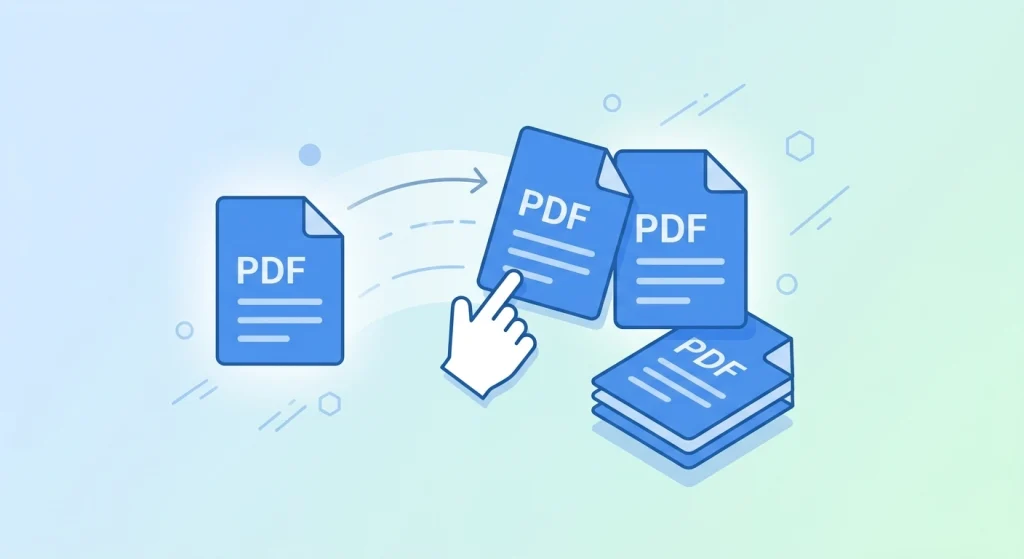
- Combine PDF files — merge two or more documents into a single file
- Merge multiple PDF files in one session, not just pairs
- Reorder files before merging to control page sequence
- Works directly in the browser, no installation required
- Compatible with desktop and mobile browsers
- Simple drag-and-drop file upload
Who Can Use This Tool?
- Students can combine lecture notes, assignments, or research materials into one file for easier studying or submission.
- Office workers can merge reports, meeting notes, or documentation into a single organized file instead of sending multiple attachments.
- Freelancers can combine a cover letter, resume, and portfolio samples into one professional document for job applications or client proposals.
- Businesses can merge invoices, contracts, or scanned paperwork into consolidated records for easier filing.
- Teachers can combine worksheets, handouts, or grading materials into one document to share with students or colleagues.
- General users can combine scanned pages, forms, or personal documents whenever a single file is more convenient than several.
Frequently Asked Questions
-
Is Merge PDF Online free to use?
Yes, DocPiko’s Merge PDF tool is free to use.
-
Is there really no cost to combine PDF files?
Correct — DocPiko is a way to PDF combine free of charge, with no hidden fees or subscriptions.
-
Do I need to create an account to merge PDF files?
No, you can use the tool without signing up or creating an account.
-
Can I use this tool on my phone?
Yes, the tool works in mobile browsers, so you can merge PDF files from your phone or tablet.
-
How many PDF files can I merge at once?
You can upload multiple PDF files and combine them into one document in a single session.
-
Does merging PDF files reduce their quality?
No, merging only combines the pages of your files into one document without altering the content or quality of the pages.
-
Can I change the order of the files before merging?
Yes, you can arrange the uploaded files in the order you want before merging them.
-
What happens to the merged file after downloading?
Once you download the merged PDF, it’s saved to your device just like any other file.
Ready to Combine Your PDF Files?
Upload your files and try DocPiko’s free PDF merger online — no installation, no account, just a simple way to merge multiple PDF files into one document.