PDF to JPG
PDF to JPG Converter Online
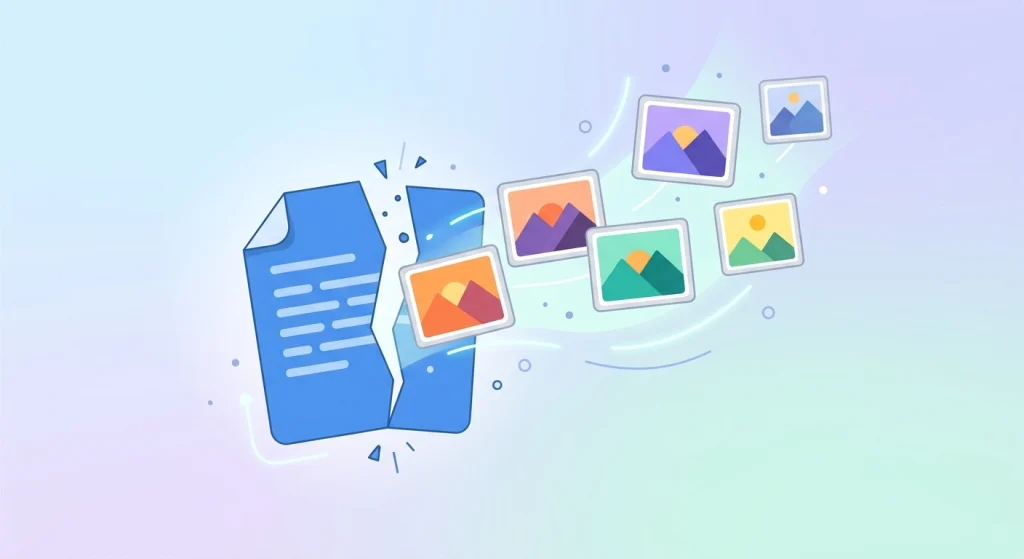
Sometimes you need the content of a PDF as an image rather than a document — for a presentation, a social media post, or editing in an image tool. DocPiko’s PDF to JPG converter turns each page of your PDF into a separate JPG image, directly in your browser.
This tool is useful for anyone who needs to extract visual content from a PDF — students grabbing a diagram from lecture notes, professionals pulling a page into a slide deck, or anyone who wants an image instead of a document file.
Because it runs online, there’s nothing to install. You can convert PDF to JPG on Windows, Mac, or mobile, using only your browser.
How to Use PDF to JPG
- Upload your PDF file – Drag and drop your document into the upload area, or click to select it from your device.
- Let the tool convert the pages – The tool processes your PDF and converts each page into a JPG image.
- Review the images – Check the converted images once processing is complete.
- Download your JPG files – Save the images to your device individually or as a batch.
Why Use DocPiko’s PDF to JPG Tool?
- Free to use – Convert PDF pages to JPG at no cost.
- No account required – Use the tool right away, without signing up.
- Works in your browser – No installation needed on any device.
- Simple process – Upload, convert, and download in just a few steps.
- Mobile-friendly – Convert PDF files to JPG from your phone or tablet as well as a computer.
- Page-by-page conversion – Each page becomes its own separate image file.
PDF to JPG Features
- Converts each PDF page into an individual JPG image
- Works directly in the browser, no installation required
- Compatible with desktop and mobile browsers
- Simple drag-and-drop file upload
- Supports downloading converted images after processing
Who Can Use This Tool?
Students can convert a diagram or page from lecture notes into an image for a study guide or presentation.
Office workers can turn a report page into an image to insert into a slide deck or internal document.
Freelancers can extract a design or layout page from a PDF proposal to share as an image with a client.
Businesses can convert scanned certificates or forms into images for use on websites or in marketing materials.
Teachers can turn a worksheet page into an image to share on a classroom platform or slide.
General users can convert a PDF page into an image to post on social media or edit in a photo app.
Frequently Asked Questions
Is PDF to JPG Online free to use?
Yes, DocPiko’s PDF to JPG tool is free to use.
Do I need to create an account to convert PDF to JPG?
No, you can use the tool without signing up or creating an account.
Can I use this tool on my phone?
Yes, the tool works in mobile browsers, so you can convert PDF files from your phone or tablet.
Will every page of my PDF be converted?
Yes, each page of your PDF is converted into a separate JPG image.
Does the conversion reduce image quality?
The tool converts pages to JPG format while aiming to preserve clarity, though image-based formats can render fine text slightly differently than the original PDF.
Can I download all the converted images at once?
Yes, converted images can be downloaded individually or as a batch, depending on the number of pages.
How long does converting a PDF to JPG take?
Processing time depends on the size and number of pages in your file, but most conversions complete within moments.
Ready to Convert Your PDF to JPG?
Upload your document and try DocPiko’s free PDF to JPG tool online — no installation, no account, just a simple way to turn your PDF pages into images.